
Build better habits,
one tap at a time.
A native iOS habit tracker that feels at home next to Reminders. Tap the circle, watch your streak grow, and get gentle reminders exactly when you planned.
Designed for iPhone · iOS 17 and later
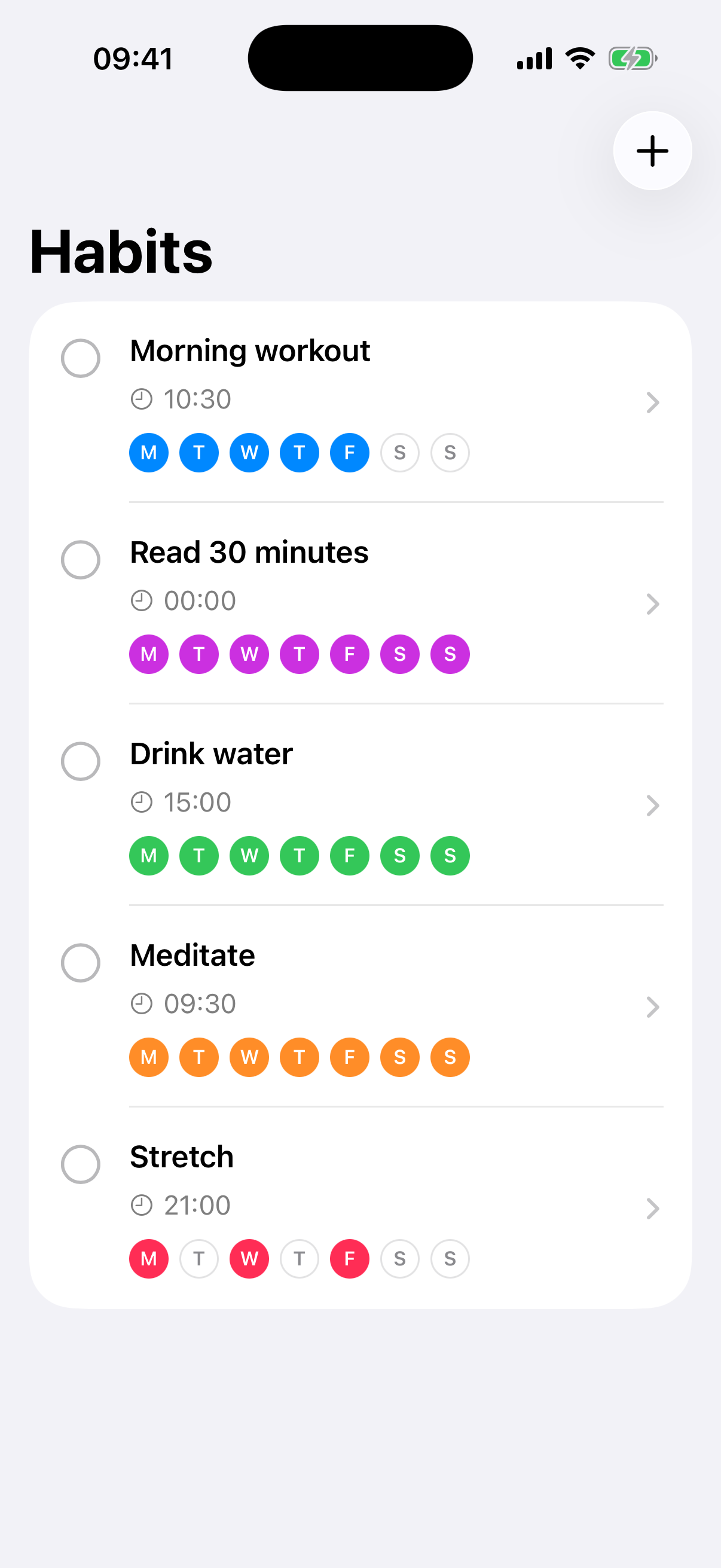
Designed like an Apple app.
Built to disappear.
Every interaction follows the iOS Human Interface Guidelines, so Just Habit feels familiar from the very first launch.
Tap to complete
A single tap on the circle marks a habit done — just like Reminders. No clutter, no friction.
Gentle reminders
Pick the days and the time. Time-zone aware notifications nudge you exactly when you planned.
Streaks that stick
A clean history grid shows your last three weeks at a glance. Watch your streak grow.
Syncs across your devices
Your habits and streaks travel with you across iPhone, iPad, and Mac via your private iCloud. Sign in once and it just works.
Private by design
Everything stays in your private iCloud container. No accounts, no servers, no tracking — we never see your data.
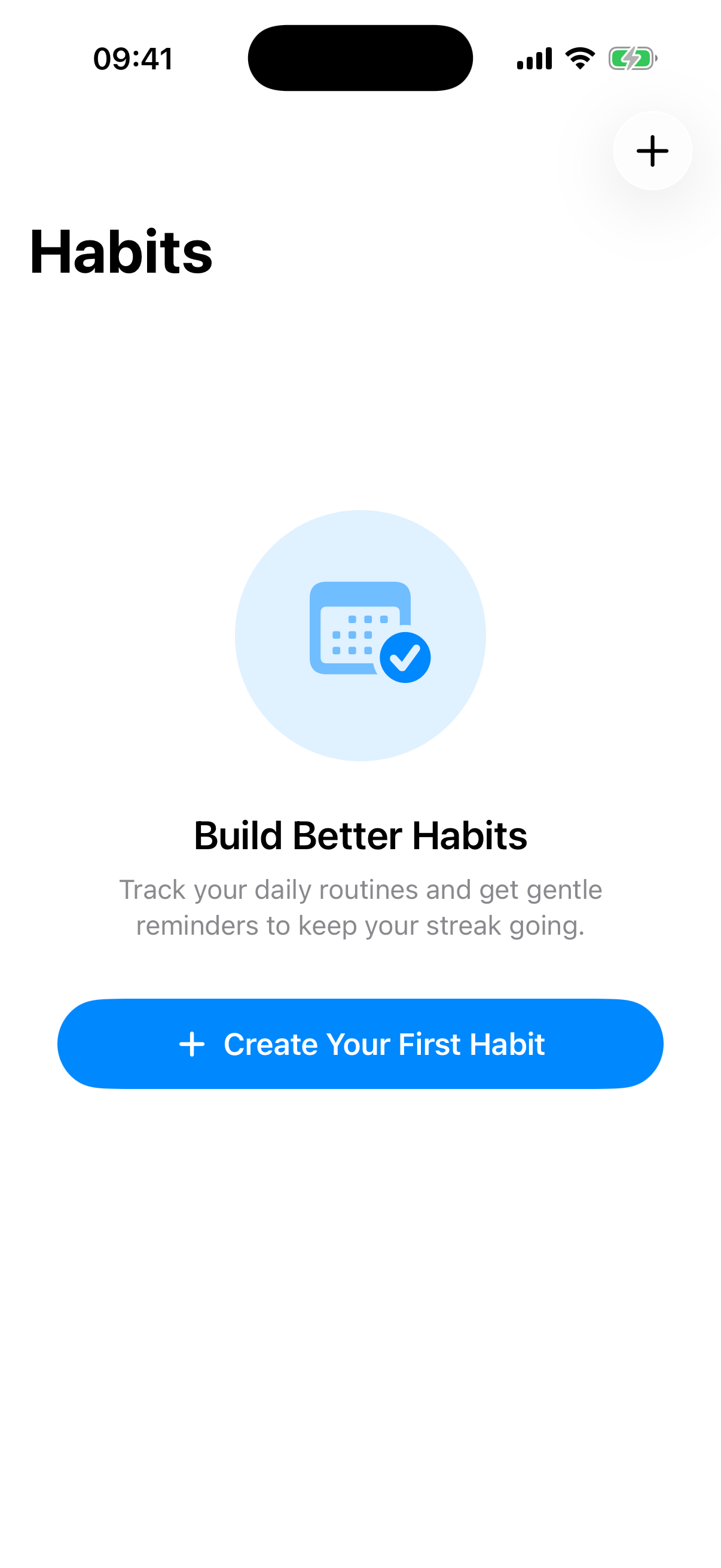
A welcome that's actually welcoming.
No accounts, no setup wizards, no permission walls. The first screen tells you what the app does — and a single button creates your first habit.
- Push to edit, sheet to create — exactly how iOS does it.
- Swipe left to delete, with a confirmation showing the habit’s name.
- A Delete Habit section at the bottom of the form, just like Contacts and Calendar.
Your habits on the
Home Screen.
Drop a widget on your Home Screen, pick a habit, and check in with a single tap — the streak grid follows you everywhere.
Morning workout
Small · 2×2 — tap to try
Read 30 minutes
Medium · 4×2 — tap to try
A glance is all it takes.
Put your most important habit right on the Lock Screen. Pick the shape that fits your setup — your streak is there before you even unlock.
- Circular. Your habit's icon with the current streak — sized for the round widget slot.
- Rectangular. Name, streak, and a compact week of progress dots.
- Inline. A single line beside the clock — quiet and always visible.
Lock Screen widgets render in monochrome, so the habit's icon does the talking.
Make every habit yours.
Choose an icon from a curated set of SF Symbols. It tints to the habit's color and follows it everywhere — the list, the Home Screen, and the Lock Screen.
What's new
- 1
Lock Screen widgets
Add a habit to your Lock Screen as a circle, rectangle, or inline row, and see your current streak at a glance.
- 2
An icon for every habit
Pick an SF Symbol for each habit. It tints to your chosen color and shows up in the list and across every widget.
- 3
Refreshed Home Screen widgets
A cleaner progress grid that stretches edge to edge, so your week reads at a glance.
- 4
Redesigned history
A tidier contribution grid with today highlighted and a clearer layout in the habit editor.
- 5
Still private, still in sync
Everything keeps syncing through your own private iCloud — no accounts, no servers, no tracking.
Start your first habit today.
Free to download. No accounts, no ads, no tracking. Just you and a few small daily wins.
Download on the App Store